Short answer: Ads Library (Facebook Ad Library, now called Meta Ad Library) is Meta's free public site where anyone can see ads currently running on Facebook, Instagram, Messenger and Audience Network. The official link is facebook.com/ads/library. Choose a country, type a keyword or fanpage name, and you'll see ad samples with their start dates.
The biggest limit: for sales ads shown in the US, the library has no spend, engagement or sales figures. It also doesn't tell you when a video first appeared or how many shops are running the same video.
This article collects the questions beginners often ask about Ads Library: the official link, how to search correctly, how to read an ad card, and what the library can't answer. You can apply most of what's below without any paid tool. Meta's interface may change, so check directly in the library.
What is Ads Library, and who can view it?
Ads Library is Meta's ad transparency archive, where anyone can see what ads a page is running. For online sellers, it's a free place to see which products competitors are advertising, and with which videos or images.
You'll come across several names: Facebook Ads Library, Meta Ad Library or Meta Ad Library. They are all one site, at the same Meta address.
- Who can view it: anyone, no need to run ads, free of charge.
- What you can see: ad content (text, images, video), the page running the ad, status, start date, and platforms where it appears.
- Instagram ads: there is no separate site. Instagram ads are in the same library; just filter by platform.
Official Facebook Ad Library link
The correct link is https://www.facebook.com/ads/library. Just remember the path /ads/library on the facebook.com domain.
Meta has two related pages that few people notice:
- Ad Library Report: aggregated data on ads about social issues, elections and politics.
- Ads Library API: lets developers pull library data. The API's scope is narrower than many people think; see below.
Be careful with sites whose names resemble "ad library" but aren't on the facebook.com domain. Only use the facebook.com/ads/library link, and don't log in or install anything on unfamiliar sites.
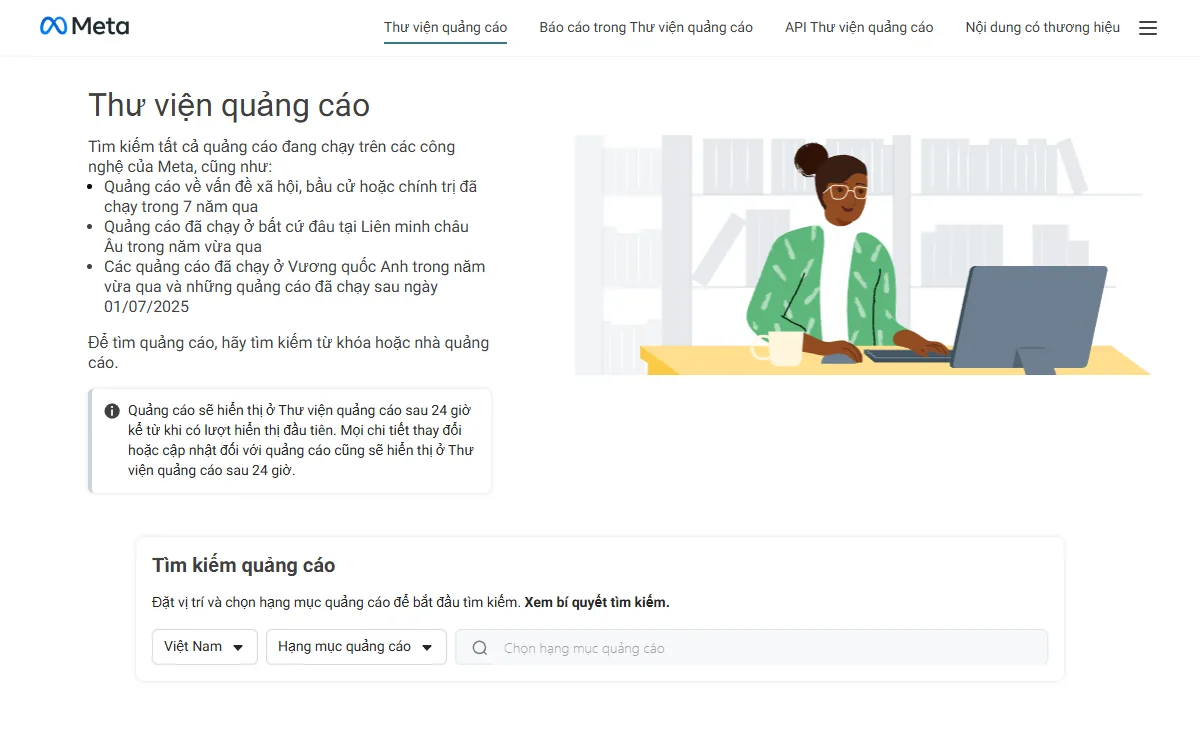
How do you use the library step by step?
- Open facebook.com/ads/library.
- Choose a country. This is the most important step. If you sell to the US, choose United States. If you choose Vietnam, you'll only see ads shown to people in Vietnam.
- Choose an ad type. To see sales ads, choose "All ads". "Social issues, elections or politics" is a separate archive, not a place to find products.
- Type a keyword or page name. As you type, the library suggests page names (advertisers). Press Enter to search by keyword, or click a page name to see that page's ads only.
- Filter results using the filters above the list.
- Open the details of each ad to see its versions, platforms and page info.
Search by keyword or by advertiser?
Search by keyword when you're hunting for products or niches: "dog bed", "posture corrector", "custom name necklace". This also surfaces pages you didn't know about.
Search by advertiser when you already have a competitor's name and want to see what they're running. This is cleaner because it only shows ads from that exact page.
Keyword tips for the US market
- Type in English. Ads for Americans are written in English; typing in Vietnamese returns almost nothing.
- Try quotation marks around a phrase, for example "heated vest", then compare the results with those without quotation marks.
- Type sales phrases common in your niche: "free shipping", "limited stock", "gift for mom"…
- Type the store domain (for example, storename.com). This may surface ads with the domain in the text, but it's easy to miss some.
Filters to use
- Language: filter for English ads if the results are mixed.
- Advertiser: narrow down to a few specific Pages.
- Platform: Facebook, Instagram, Messenger, Audience Network.
- Content type: choose video if you only care about video ads.
- Active status: active or all.
Filter names and positions may change with the interface. If you can't find them, check directly on Ad Library or Meta's help page.
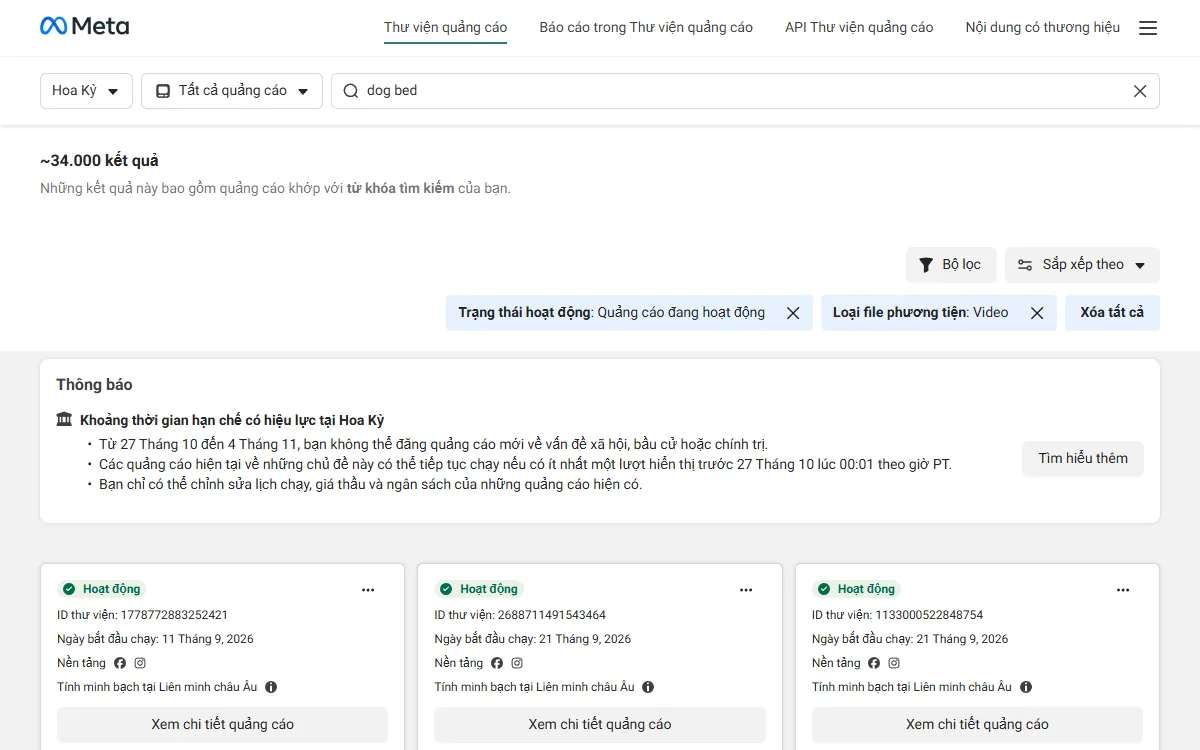
Reading an ad card in the library
Each result is a card. The table below explains each piece of information and where people often get it wrong:
| Info on the card | What it means | Common misunderstanding |
|---|---|---|
| Active / Inactive | Whether the ad is still being delivered or has stopped. For commercial ads outside the EU, the library mainly shows ads that are currently running (according to Meta, check at facebook.com/ads/library). | An ad being off doesn't mean the shop dropped the product. They may have created a new ad with the same content. |
| Started running on [date] | The date the ad this started running | Not the date the video was made or first posted on Facebook |
| Library ID | The ad's unique code in the library | Use it to save, share with teammates, and find the ad again quickly |
| Platform icons | The ad is shown on Facebook, Instagram, Messenger… | Doesn't tell you which platform brings more results |
| A line like "3 ads use this creative and text" / multiple versions | That Page has multiple ads using the same creative, or one ad has multiple variations | This is that Page's ad; the library has no section grouping other Pages running the same video |
How to see all ads from a fanpage or Shopify store
For a fanpage: type the Page name into the library's search box, then click the exact name in the suggestions. You can also go to the fanpage itself and find the Page transparency section (the section name may differ depending on the interface, see Meta's help page), which usually has a button leading to the Ads Library.
Remember to set the country to "All" or the country that Page targets, otherwise you may think the Page isn't running anything. Detailed guide in the article see all ads from a fanpage.
For a Shopify store: the library doesn't search by store, only by Page and text in the ads. You have to find the fanpage linked to the store (there's often a link in the website footer), or type the store domain as a keyword.
One store can run ads through multiple fanpages, so this method can easily miss some. See also the article see the Facebook ads of a Shopify store.
Product research workflow in Ads Library for dropshipping and POD
A simple workflow that only needs the free library:
- Select country US, "All ads", content type video, status active.
- Type niche keywords in English, trying both product keywords and sales phrases.
- Note down the ads with the line "multiple ads use this creative": that Page is duplicating the ad, meaning they're still willing to spend money on that creative. This is a signal, not proof of profit.
- Open the advertiser's Page see what other products they run and whether they're testing multiple videos.
- Save the Library ID or take a screenshot right away. Ads that have been turned off are often no longer in the library, so save it right away.
The above are only ad signals, not sales. A page running 20 ads with the same video may be scaling, or may be testing poorly. The article finding products in the Ad Library goes deeper into how to filter.
What does the Facebook Ad Library not tell you?
The table below summarizes what applies to sales ads shown in the US. Meta's policies and interface may change, so check against facebook.com/ads/library.
| What you want to know | Does the Ads Library show it? |
|---|---|
| Active ads, content, the page running them | Yes |
| Inactive sales ads (outside the EU) | Usually not. The library mainly shows active ads, so you need to save them yourself when you see them. |
| Amount spent, impressions | Only for ads about social issues, elections, or politics (as ranges) |
| Likes, comments, shares | Not shown in the library |
| Sales, profit | No |
| Targeting (age, gender, location) | Only partly, for ads delivered in the EU |
| Date the video first appeared on Facebook | No |
| How many other pages/shops run the same video | No |
Only for ads about social issues, elections, or politics, as described above Meta's Ad Library page, are kept in the library for 7 years, even after they stop running. Ads delivered to users in the European Union also include extra information on reach and audience. Sales ads shown in the US do not have this data.
"Start date" is not the age of the video
Shops often create new ads, duplicate campaigns, or switch accounts while still using the old video. Each time, the ad card shows a new start date, even though the video may have been circulating for months.
The library also doesn't show the date the video file was first uploaded to Facebook. To estimate the real age, read these two articles: how long Facebook ads run and when an ad video was first uploaded.
Doesn't group shops running the same video
The "multiple ads use this content" line appears within a single page's ads. When many different shops run the same video, including reposts and versions with changed text, the library has no section that groups them, so you have to browse and spot them yourself. The article how many shops run the same video explains why this number matters when choosing products.
The country determines what you see
Results depend on the country you choose. A shop selling to Americans will be almost invisible if you set the country to Vietnam. Likewise, don't use ads in Vietnam to guess US market trends.
What can the Ads Library API be used for?
Many people look for the API because they want to pull data in bulk. According to Meta's Ads Library API page, this API is mainly for ads about social issues, elections, and politics, plus ads delivered in certain regions such as the EU, and it can't be used to get all sales ads in the US. The scope may change, so reread this page before you start writing a script.
In short: if you do dropshipping aimed at the US and plan to pull all your competitors' ads through the official API, you most likely won't get what you need.
Where do beginners often misuse the library?
- Setting the wrong country and then concluding "nobody is running ads in this niche."
- Treating many ads as a sign of orders coming in. It's a signal that the shop is still willing to spend money, not proof of profit.
- Treating the earliest page as the owner of the video. The library doesn't verify who made the video.
- Not saving a notable ad, then not finding it the next day.
When do you need tools beyond the Ads Library?
The Ads Library is enough for browsing, looking at examples, and tracking a few competitors. When you need to answer two questions the library can't, how old this video really is and who else is running it, you need another tool.
I build SpyWinAds, a Facebook video ad spy tool for dropshippers, POD sellers, and Shopify shops selling to the US, so please check things yourself. One note upfront: SpyWinAds data is ads shown in the US, taken from the US Ad Library, not ads in Vietnam.
- Real age of the video: SpyWinAds uses the earliest of the date the video file first appeared on Facebook (margin of error 1–2 days) and the first ad running that video in the part of the database SpyWinAds has scanned, including inactive ads. If there's no file date, only the ad date is left, and that is a minimum figure.
- Who is running the same video: SpyWinAds groups the fanpages and shops running the same video using visual fingerprints, including reposted, recompressed, text-changed, or music-changed versions. Shortened or re-edited versions are not guaranteed to be grouped.
- Who ran it earliest: SpyWinAds shows which shop ran it earliest in the part of the database scanned, but that doesn't mean that shop is the original owner of the video.
SpyWinAds also covers only Meta ads (Facebook, Instagram) and has no spend, likes, or reach, so the limits in the table above still apply.
If you're weighing Minea, BigSpy, PiPiAds, AdSpy or Foreplay, where each tool does better (according to their official pages, as of 24/10/2026), is on their individual comparison pages. SpyWinAds takes a narrower approach, focusing on the video's actual age and the number of shops running the same video.
If you want to try without creating an account, there are 4 free tools at /free-tools: look up ad videos, view Page ads, inspect Shopify stores, and clone Shopify products to CSV. Search quota is 10 per day, 30 after entering your email.
If you want to scan with the app for Windows or macOS (no Facebook login or Google Chrome needed). As of 02/11/2026, there is a 7-day free trial, no card required. When the trial ends, the app stops scanning and does not automatically charge you.
FAQ
Is the Facebook Ad Library free?
No. facebook.com/ads/library is a public Meta page. Anyone can view it, no need to be running ads.
Can Ads Library show Instagram ads?
Yes. Instagram ads are included in the Meta Ad Library, with no separate page. Use the platform filter and select Instagram.
Can you view ads that have been turned off?
For ads about social issues, elections, or politics, yes; according to Meta, this type is kept for 7 years. For commercial ads outside the EU, the library mainly shows ads that are currently running (per Meta, check at facebook.com/ads/library). To keep one, save its library ID or content as soon as you see it.
Does Ads Library show how much competitors spend?
For commercial ads, no. Spend amounts (as ranges) are only shown for ads about social issues, elections, or politics. An "estimated spend" figure for commercial ads that you see elsewhere is not data Meta publishes in the library.
Is "Started running on" the date the video was posted?
No. It is the date that particular ad started running. The same video can be reused in many new ads, so this date is often newer than the video's actual age. Read more in the article when an ad video was first uploaded.
Original data from the SpyWinAds library: how Facebook video ads get reused ›