Short answer: Shopify dropshipping is a way to open a store on Shopify and sell products you don't keep in stock. Customers place orders on your store, you pass the order to a supplier, and the supplier ships directly to the customer. For beginners selling to the US, the hardest part is not building the store but choosing products, choosing suppliers that deliver on time, and running profitable ads.
Updated: 07/11/2026 · Author: Ánh Nguyễn
I'm Ánh Nguyễn. I've been doing dropshipping and running Facebook ads for years. I now work on SpyWinAds, a tool for viewing Facebook video ads shown in the US (not ads in Vietnam). This article is written for people who have never opened a store. I'll cover how the model works, the steps to open a Shopify dropshipping store, how to choose suppliers, and how to find products using Meta's free tools.
What is Shopify dropshipping and how does it work?
Shopify is a platform that lets you create a website to sell products, including the storefront, cart, checkout, and order management. Dropshipping is selling without holding inventory. Put together, Shopify handles the store while the supplier handles the products and shipping. Shopify has a dedicated page about this model at shopify.com/dropshipping.
A dropshipping order usually follows this sequence:
- A customer in the US sees an ad, visits your Shopify store, and pays.
- The order is sent to the supplier, either automatically through an app or manually by you.
- You pay the supplier the original price plus shipping.
- The supplier packs and ships the order and provides a tracking number.
- The tracking number is updated on the Shopify order so the customer can follow it.
Your profit is the money the customer pays minus product cost, shipping, payment fees, app fees, and ad spend. Beginners often forget the last item. Ads are usually a big expense, so you need to plan for them in advance.
What do you need to start dropshipping with Shopify?
Before opening a store, you should prepare all of the following. If one is missing, you can still open the store, but you'll get stuck when orders come in.
- Shopify account: check the free trial conditions and pricing at Shopify's pricing page, since these conditions change over time.
- Payment gateway: not every gateway is available to sellers in Vietnam. Check which gateways work with your business entity in the Shopify Help Center before running ads.
- Supplier or dropshipping app: where you get products and ship them.
- Meta ad account: if you plan to run Facebook/Instagram ads.
- Shipping, returns, and contact policies: your store should have these pages for customers and payment providers to read.
- Reserve funds: ad spend must be paid upfront, product costs are paid when orders come in, and money from the payment gateway may arrive later.
Steps to Open a Shopify Dropshipping Store for Beginners
This is the order I usually recommend to beginners. Choose products before building the store, since products determine the design, pricing, and suppliers.
- Choose a niche and 1–3 test products. Don't load 200 products into the store from the start.
- Find a supplier for that specific product. If possible, place a test order to a US address to check real delivery times and quality.
- Create a Shopify store, choose a clean theme that loads quickly on mobile.
- Write product pages in natural English: use real product photos, list clear specifications, and give honest delivery times.
- Set up payments, taxes, and shipping fees. Place a test order to check the payment flow.
- Write the policy pages: shipping, returns, contact, privacy.
- Run ads with a small budget and track the numbers daily.
Regarding delivery times, when selling to the US you should know the Federal Trade Commission (FTC) Mail, Internet, or Telephone Order Merchandise Rule. Under this rule, you must ship within the promised time, or within 30 days if you didn't promise a specific time. If you can't ship on time, you must notify the customer and let them choose to keep waiting or cancel for a refund.
The rules may be updated, so check the latest version at the official FTC guidance. Don't write "delivery in 3–5 days" when the supplier takes 10–15 days.
How do you choose a supplier?
If you choose the first supplier that appears in search, you'll likely overlook the criteria below. Evaluate suppliers by specific criteria, not by their ads.
| Criteria | Question to ask | Why it matters |
|---|---|---|
| Warehouse | Do you ship from a US warehouse or from overseas? | Determines delivery time and customer complaint rate |
| Processing time | How long from order received to tracking number? | Late tracking numbers make customers think they've been scammed |
| Shopify integration | Is there an app on the Shopify App Store, and does it sync orders and tracking automatically? | Less manual work and fewer errors |
| Returns | Who covers defective items, and where do returns go? | Some products, like clothing, often get returned due to wrong sizes, so agree on terms in advance |
| Images and descriptions | Are the photos real, and are you allowed to use them? | Avoid image copyright issues |
You can find dropshipping apps on the Shopify App Store. I don't score each one here.
Before deciding, read the supplier's official app page, check recent reviews, and place a test order.
Where do you find products to sell?
A free, official source is Meta Ad Library, where you can see ads currently running across Meta's platforms. Select the United States as the country, enter a product keyword, then see which shops are running ads and the date each ad started. For how the Ad Library works and what it shows, read Meta's Ad Library introduction and help pages directly, since Meta may change them.
I have a detailed guide on how to find products in the Ad Library.
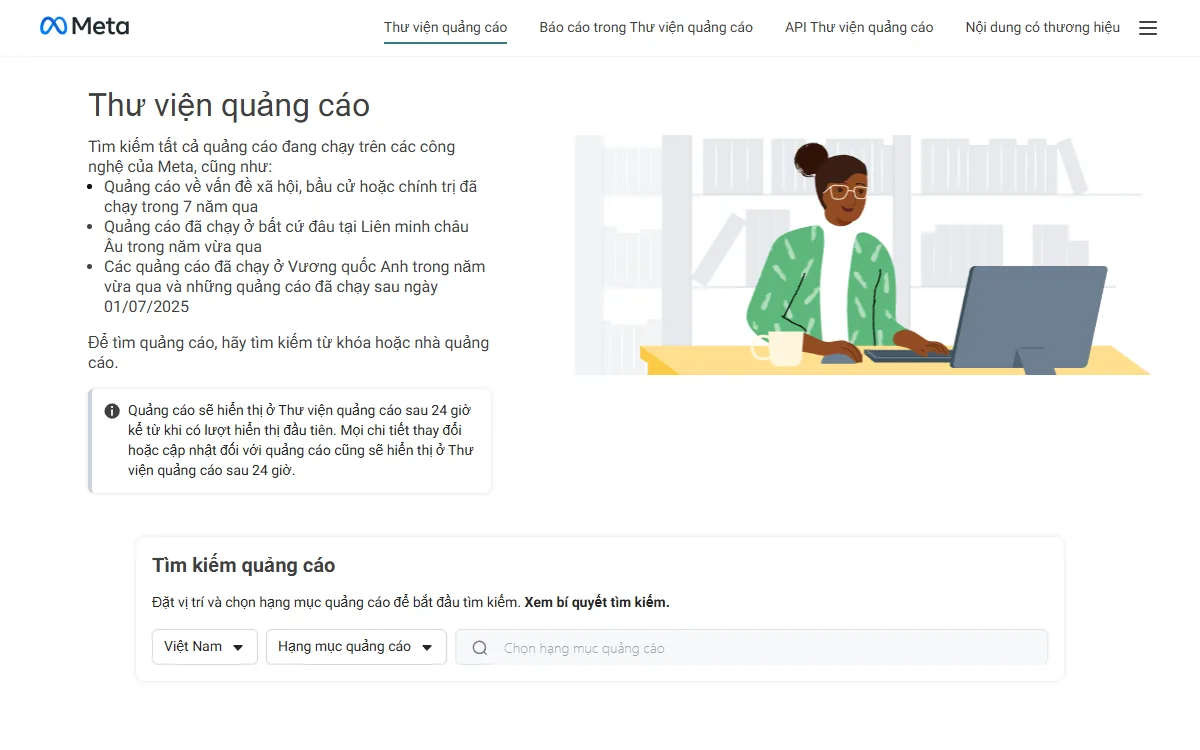
When reading ads, I look at three things:
- How long the ad has been running: a shop that keeps paying for an ad over a long period is a strong signal, but it doesn't mean they're definitely profitable. See also how long Facebook ads run.
- Whether the video is new or old: if a video has been circulating for a long time, it's usually harder to get in later. The "start date" in the Ad Library is only the date of that particular ad, not necessarily when the video first appeared. Read more how to tell when an ad video was first posted.
- How many shops run the same product: many shops running it at once signals that people are pushing ads for it, but it also shows heavy competition.
How does SpyWinAds help at this step?
SpyWinAds (spywinads.com) is a Facebook video ad spy tool for dropshippers selling into the US. Its data covers ads shown in the US, not ads in Vietnam. The tool only includes Meta ads (Facebook, Instagram) and does not spy on TikTok or Google ads.
What I need most is the video's true age. The tool takes the earliest of two dates: the day the video file was first uploaded to Facebook (margin of error 1–2 days) and the first day an ad ran that video, including ads that have been turned off. If the file date is unavailable, only the ad date remains, and that is the minimum age.
The tool also groups fan pages and shops running the same video using visual fingerprinting, including reposts, recompressed versions, and videos with changed text or music. It then shows who ran it earliest within the scanned library. The tool does not verify who owns the video, so the earliest shop in the library is not necessarily the original.
Videos are sorted into Win / Scale / Old categories based on server-side rules. These are ad signals, not sales figures (details at Win / Scale / Old explanation page). The tool does not include ad spend, likes, reach, or shop revenue.
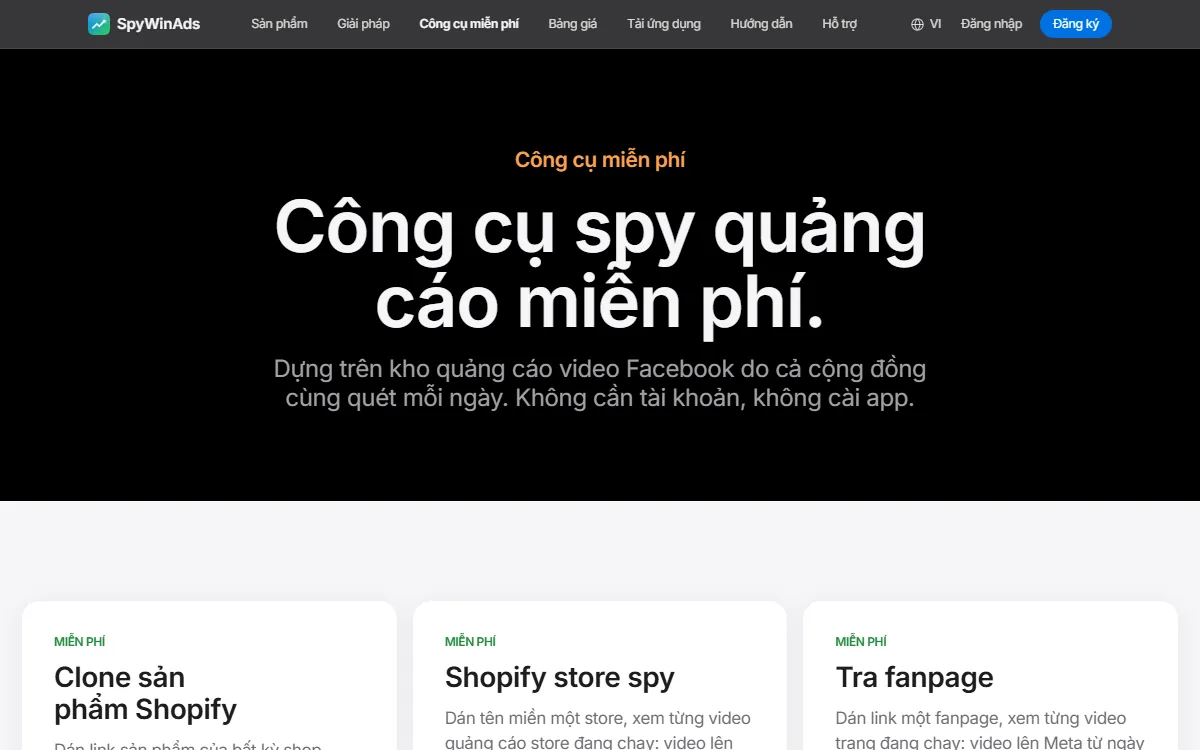
If you just want to try it, start at the free tools page. There are 4 tools that work without an account: look up ad videos, view fan page ads, inspect Shopify stores, and export Shopify products to CSV. Library searches are limited to 10 per day (30 with email). Product cloning is limited to 3 per day (10 with email).
With a trial or paid account, scanning runs through a desktop app (Windows 10+ and macOS). The app does not require logging into Facebook or Google Chrome, and results are viewed on the web. Download the app at the app download page and see how to get started at the getting started guide. Product cloning and Shopify store views count against your plan's quota.
What can you learn from competitors' stores?
Look at competitors' stores to learn how they present products, not to copy them. Worth learning from:
- How they price, and whether they use bundles or "buy 2, save" offers.
- Whether product pages are long or short, whether they use photos or GIFs, and where they place reviews.
- How they state delivery times.
- Whether their ads link to product pages or the homepage.
To see which Facebook ads a Shopify store is running, read how to view Facebook ads for a Shopify store.
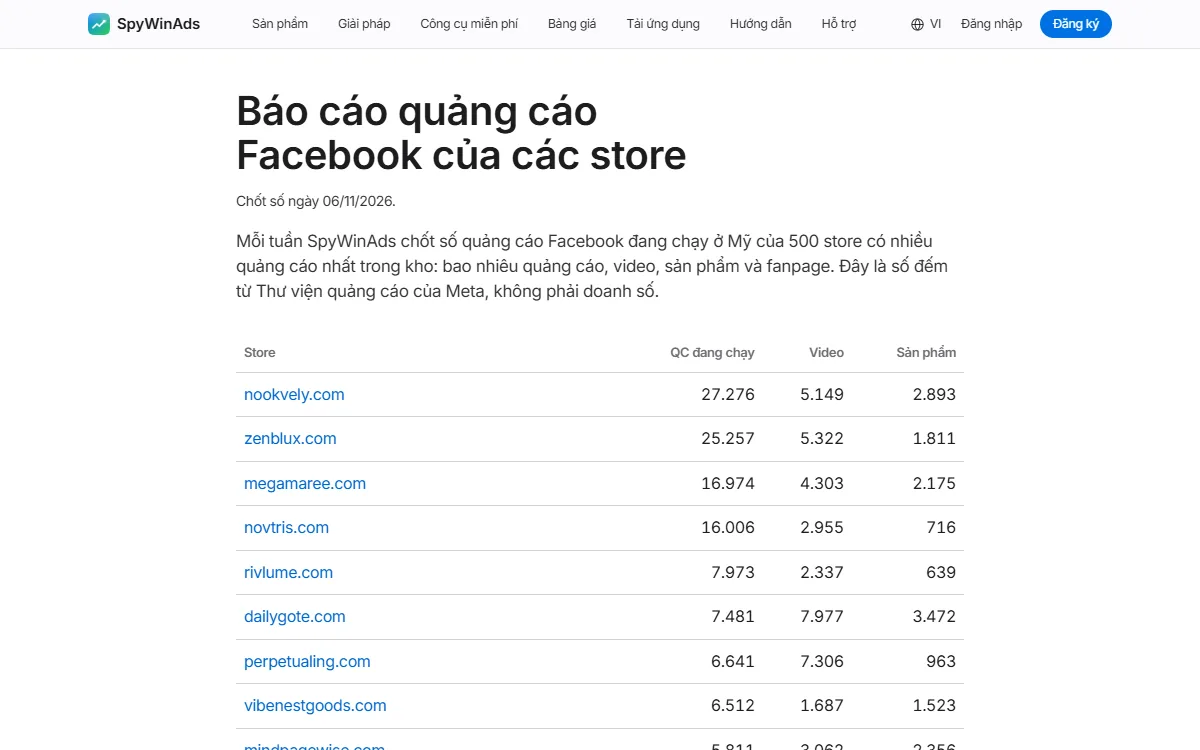
SpyWinAds has a weekly store report, listing about 500 stores running the most ads, updated weekly and showing only ad counts and dates. A store running many ads doesn't mean it sells a lot. Treat it only as a list to observe.
Should you buy a pre-built store or copy someone else's Shopify store?
A pre-built store saves you a few days of setting up the design. But the hardest part is having the right product and profitable ads, and a pre-built store includes neither. If the seller promises a "store that already has revenue," ask for verifiable proof and be cautious.
As for copying someone else's store, you should split it into two tasks:
- Take the product data structure (name, variants, price) to quickly import into your own store: you still need to rewrite the descriptions, and you should check Shopify's terms and related policies yourself before doing it.
- Copying their photos, videos, brand, and content: invites copyright claims, ad removal, or action from payment processors. Use supplier photos you are allowed to use, or take your own.
Some product categories have specific rules for selling to the US (food, cosmetics, electrical equipment). For these, check the rules yourself first and only work with suppliers who have clear documentation.
I have a separate guide on how to copy products from another Shopify store.
What mistakes do beginners often make?
- Building a beautiful store without testing any products first. You spend a whole week tweaking the theme without running a single ad.
- Jumping in as soon as you see lots of ads. The video may be old, and many shops may already be running it before you.
- Listing unrealistically fast shipping times. The result is complaints, refunds, and possible violation of the FTC rules mentioned above.
- Not accounting for all costs. Payment fees, app fees, return fees, and ad spend add up to often more than you expect.
- Trusting other people's "orders coming in" numbers. SpyWinAds only sees ad signals, not a shop's revenue. Treat an ad as a signal, not as sales numbers.
If you want to try it, SpyWinAds offers a 7-day free trial, no card required (start your trial). After 7 days, the app stops scanning and does not charge you automatically.
FAQ
Does Shopify dropshipping require a lot of capital?
You don't need inventory capital, but you still need money for Shopify, apps, domain, and especially ads. Set aside a separate amount enough to test a few products, and accept that you may lose it during the learning phase.
Can people in Vietnam run Shopify dropshipping to sell to the US?
Many Vietnamese people are doing it. The specific requirements depend on your payment gateway and business entity. Check carefully whether the payment gateway works with your business entity, and whether suppliers ship to the US within a reasonable time. Check the payment gateway requirements in Shopify Help Center.
Does an ad running for a long time mean the product is profitable?
Not necessarily. A long-running ad is a strong signal that the shop is still willing to spend on it, but you don't know whether they're profitable or losing money. Also check the age of the video and how many shops are competing.
Can SpyWinAds show ads from Vietnam or TikTok ads?
No. SpyWinAds only has ads displayed in the US on Facebook and Instagram.
Can you find every dropshipping shop on Facebook?
With SpyWinAds, the tool can only find shops in its scanned database, not every shop on Facebook.
Original data from the SpyWinAds library: how Facebook video ads get reused ›