Guides · The tabs
The Winning videos tab
Updated 11/02/2026 · screenshots from app version 0.6.5
This article helps you read the Winning videos tab: which videos go into the tab, what the numbers on the card mean, and what to do next with a Win video.
Which videos the tab shows
Winning videos are videos 7–14 days old that have ads that survived the testing stage while the shop kept spending. A video must meet 5 conditions:
- Fully dug (other shops running the same video have been found).
- Win at 10 ads or more.
- Win + Scale over 200 ads.
- Still getting new ads (Scale at 1 or more).
- Has a sales link.
A video that already has Old ads (live for over 14 days) does not go into this tab. A video older than 14 days that is still scaling sits in the Scaling videos tab. A video whose sales page is much older than the video moves to Evergreen products with the label “Old product · new video”. For details, see How SpyWinAds divides Win, Scale and Old.
The tab only shows videos scanned by the app on your computer. The numbers on each video are cumulative across the whole library. The video with the most Win ads is at the top; ties are broken by the number of shops holding ads, then by the speed of new ads.
Reading a video card
- The video age ring and the milestone date (“Video file first on Meta” or “First ad on Meta”).
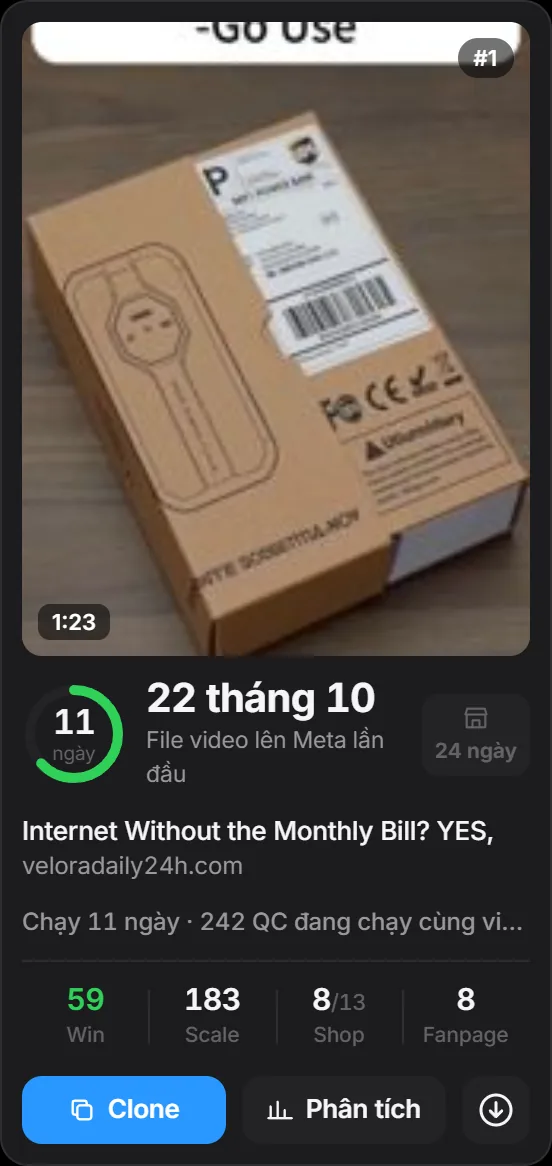
- The sales page age box. The box changes color as a warning when the sales page is much older than the video.
- The line “Running … days · … ads running with this video”.
- Win is the tab’s main number: ads live for 7–14 days and still running. Scale is ads live for under 7 days. Shops is shops running / shops that ever ran it. Page is pages running.
In Table view, under the Win number there is a line “… shops holding”: the number of shops with ads that survived 7–14 days. Under the Shops number there is a line “… posting now”: the number of shops that just posted new ads. The date picker at the top right lets you look back at the numbers of an earlier day.
Buttons on the card
- Analysis: opens the detail panel. The panel splits ads into Win, Scale, Old, and shows the number of shops holding ads, ads per day, video age, sales page age, the selling price, the pages that sell it and the Watch history by morning. The panel also has the “Watchlist” and “Move to the Test videos tab” switches and the “✕ Remove from table” button.
- Download icon: downloads the video file to your computer.
- Clone: sends the product to your Shopify store.
- Video thumbnail: hover for a quick look, click to watch with sound.
Use this tab when picking products
- Read the first few videos in the tab. A high Win means the shop is still willing to spend on ads that have passed the testing stage.
- Click Analysis and look at the Watch history: do Win and Scale go up or down from morning to morning?
- Open the sales page to see the price and how the shop sells.
- To keep watching it every day, turn on “Watchlist”. Once you’ve started testing the product, turn on “Move to the Test videos tab”.
Related articles
- How SpyWinAds divides Win, Scale and Old
- The Potential videos tab
- The Scaling videos tab
- Watchlist and Test videos
Thank you.